

21 Gameplay Actions to Build Any Roblox Game
Everything you need to build a full Roblox game from your browser. Install the plugin, configure your items, chain actions — the engine handles the rest.
 Plugin Setup
The Kitsulab plugin connects your project directly to Roblox Studio. Follow these 4 steps:
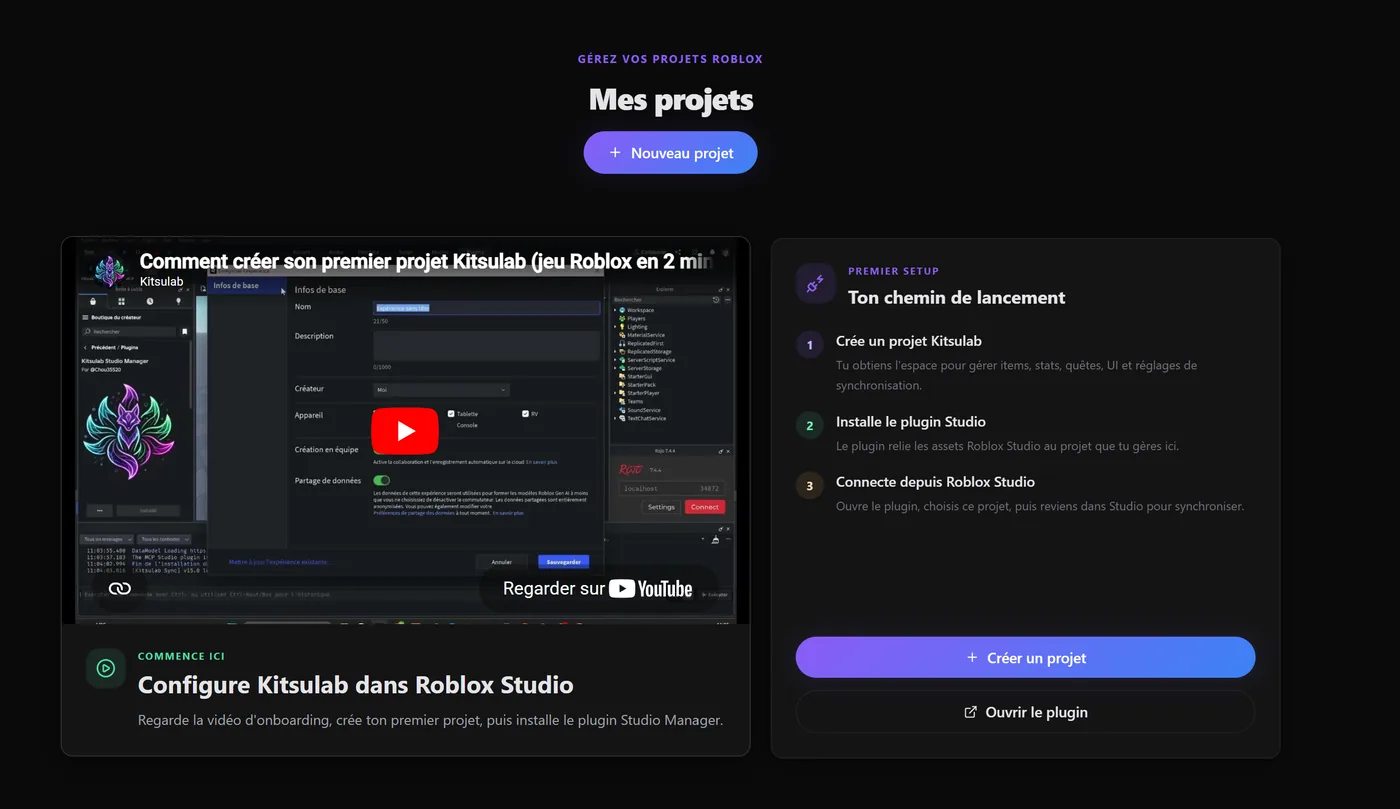
Create the project
In Kitsulab, create your project. This is where your items, stats, quests, interfaces, and sync settings will live.
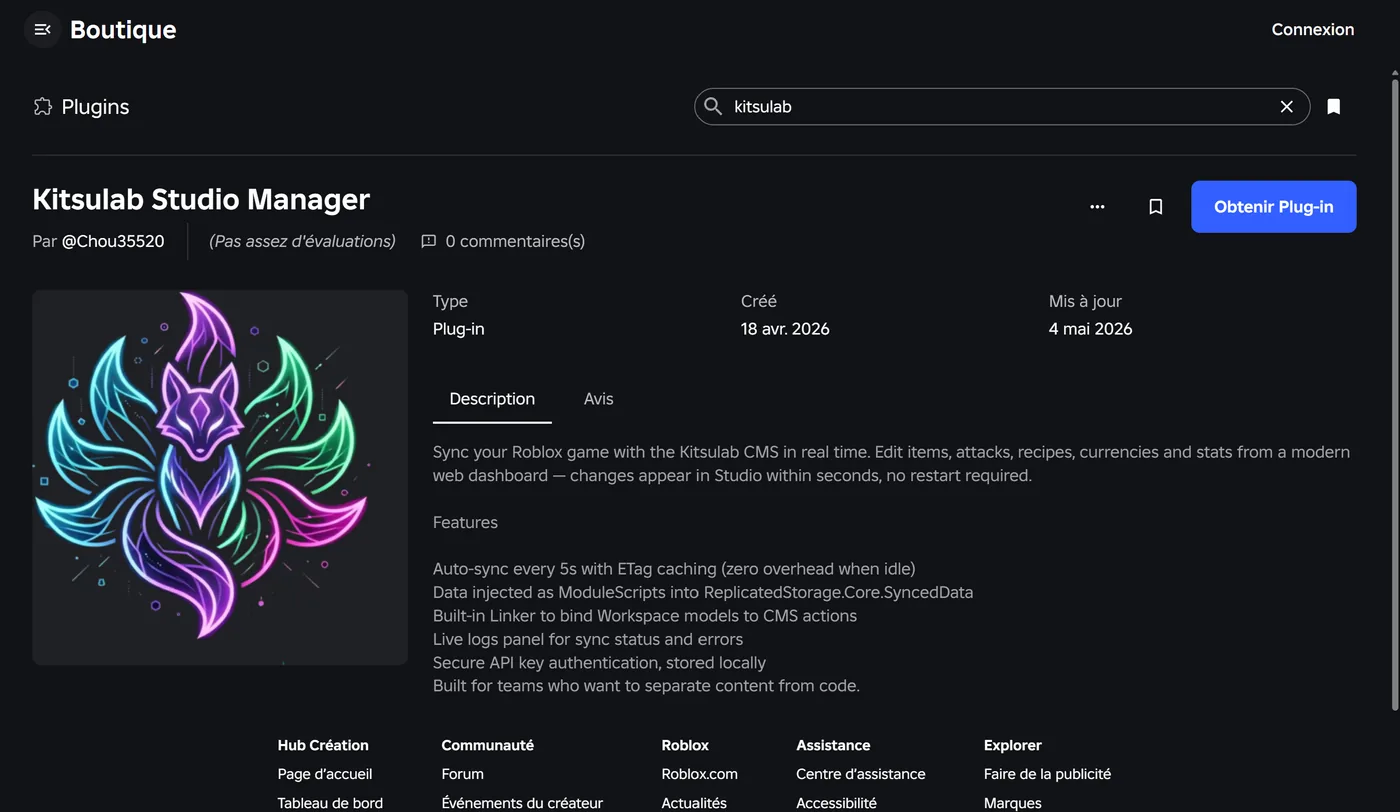
Install the plugin
Open Roblox Studio, search for Kitsulab Studio Manager in the Creator Store, then install the plugin.
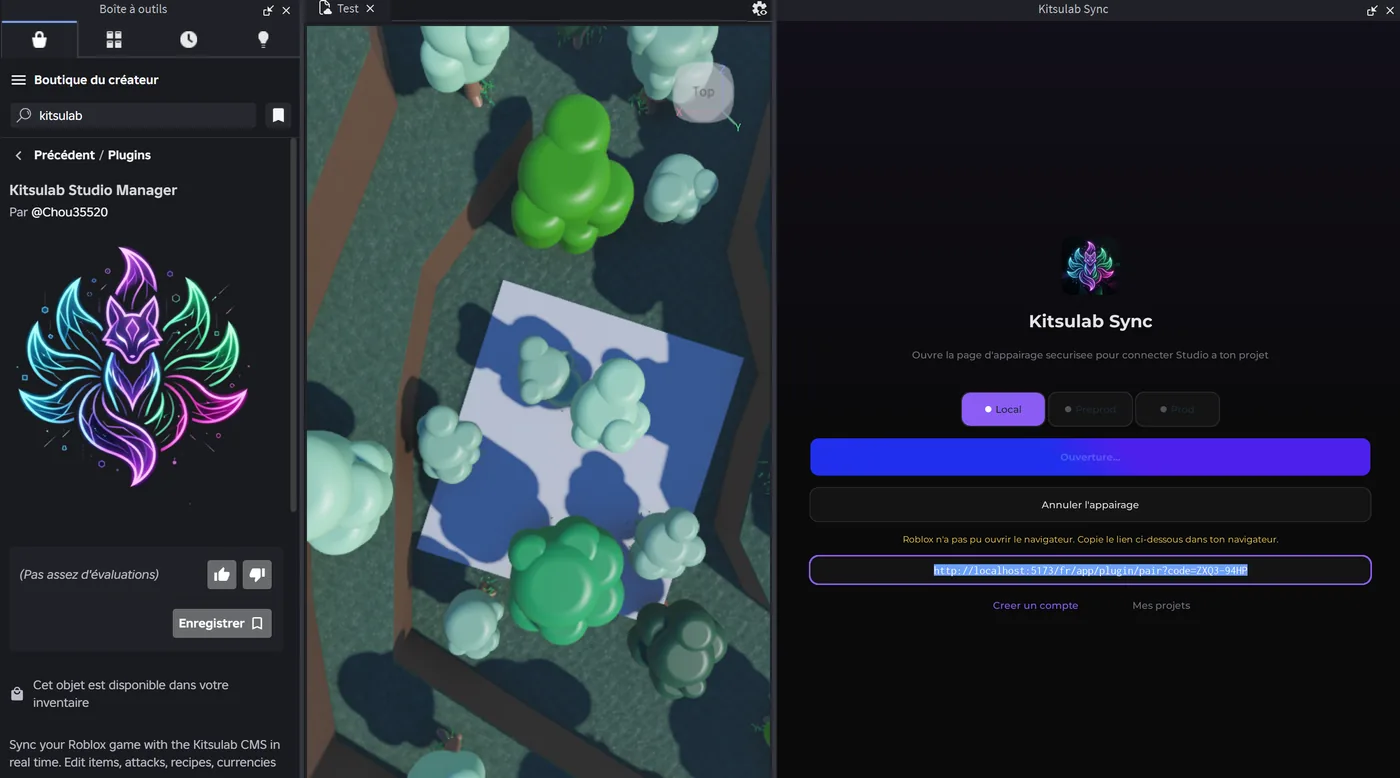
Copy the link
Open the plugin from the Plugins menu, then click Open page. If the browser does not open automatically, copy the already selected link and paste it into your browser.
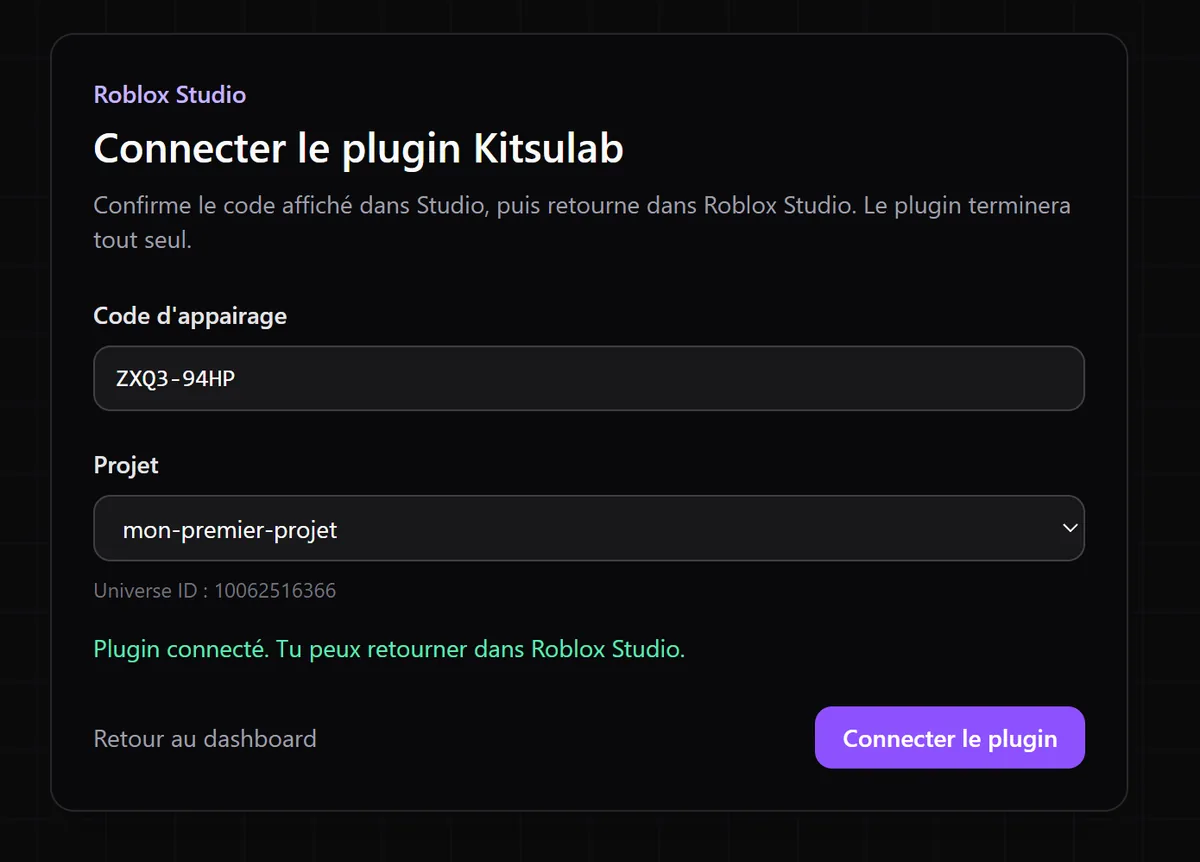
Click sync
On the Kitsulab page opened by the plugin, check the project, then click Sync. Return to Roblox Studio: the plugin is connected.
 The Item Engine
In Kitsulab, everything is an Item. An NPC, a tree, a sword, a shop, a treasure chest, a boss — they are all the same thing: an item template with a 3D model and a chain of actions.
The engine doesn't know what a "shop" or a "weapon" is. It only sees generic items with data. The actions you chain define the behavior. Change the actions, change the gameplay — without touching a single line of code.

A Shop
An item with a 3D model (a merchant NPC) and actions: Interact → Dialogue → Branch (check gold) → ModifyCurrency + ModifyItem (Add).

A Harvestable Tree
An item with a tree model and actions: Interact → ModifyItem (Add wood) → SetTimer (regrow) → chain restarts.

A Boss
An item with a dragon model and actions: Interact → Dialogue → ChangeBehavior (Aggressive) → ModifyItem (Add loot) → Despawn.

A Weapon
An item in the player's inventory with a single action: ToggleEquip. The engine handles slot management, visual attachment, and combat stats.
Same engine, infinite possibilities. You design the experience by combining actions in the CMS. The engine executes them blindly — your 3D models, your creativity, zero code.
 Documentation
Explore each category to discover everything you can build.